How to add a header image
To get your own image on the rust server your image has to follow these rules:
Be hosted on a publicly accessible website
(We offer free image hosting here @ EUGH - Open a support ticket for more information!)
Must be 512x256 pixels
Must be a .png file
Once you have an image that meets these rules you can make it appear on your server in the game by following these instructions below.
Login to the Control Panel and login with your credentials.
Click on ‘Game Services’

Click on your 'Rust Service'

Click on the ‘Stop’ Button

Open the 'Configuration Files' Section

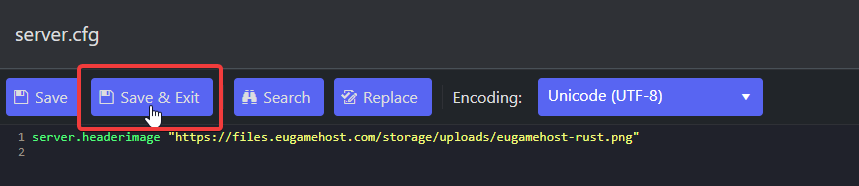
Edit the 'server.cfg' file using the 'Text Editor'

Add in the following:
server.headerimage "https://files.eugamehost.com/storage/uploads/eugamehost-rust.png"
(Replace the example URL with your direct image link)

After, Press the 'Save and Exit' Button
Now click back onto your server, and then press the ‘Start’ Button

Once your server has started up, your header image should show on your server overview.
