How to setup automatic server restarts
Login to the Control Panel and login with your credentials.
Click on ‘Game Services’

Click on your '7 Days to Die Service'

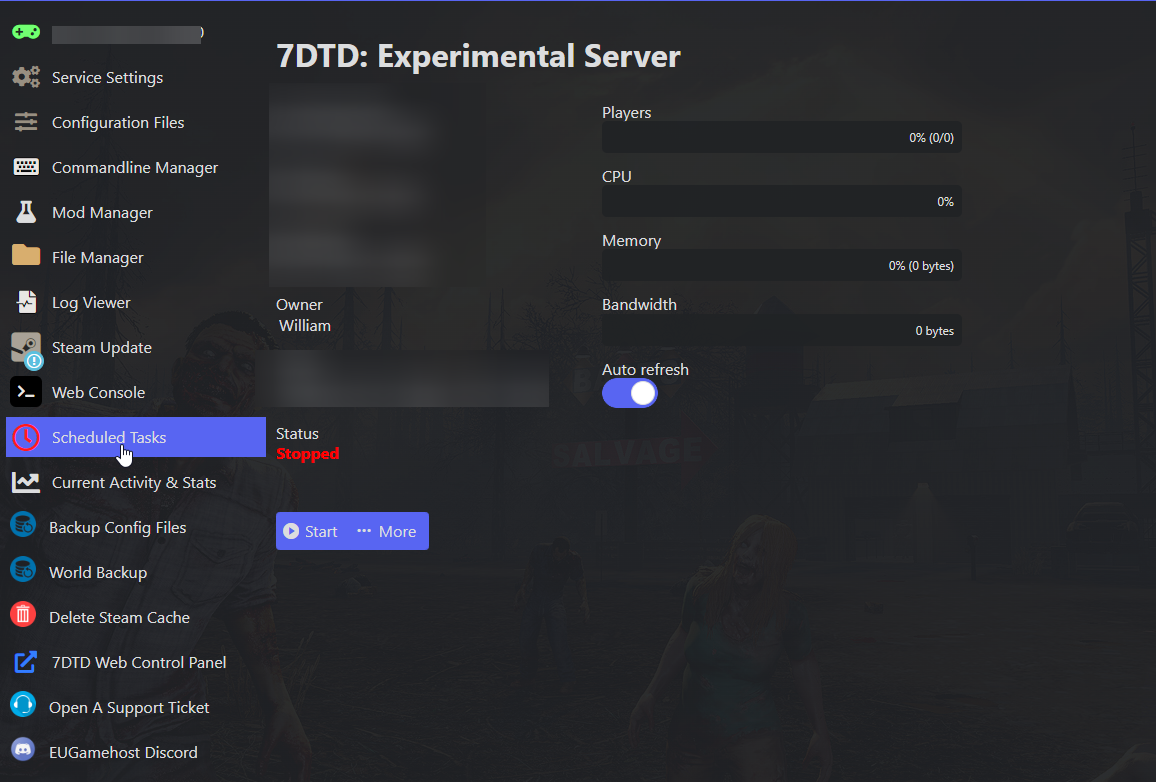
Click on "Scheduled Tasks"
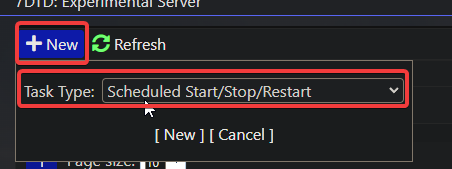
Click on "New" and Select "Scheduled Start/Stop/Restart" then press "New"
Input the Name of the tasks, the Type (One time, Daily, Weekly or Monthly) and the day the task will start.
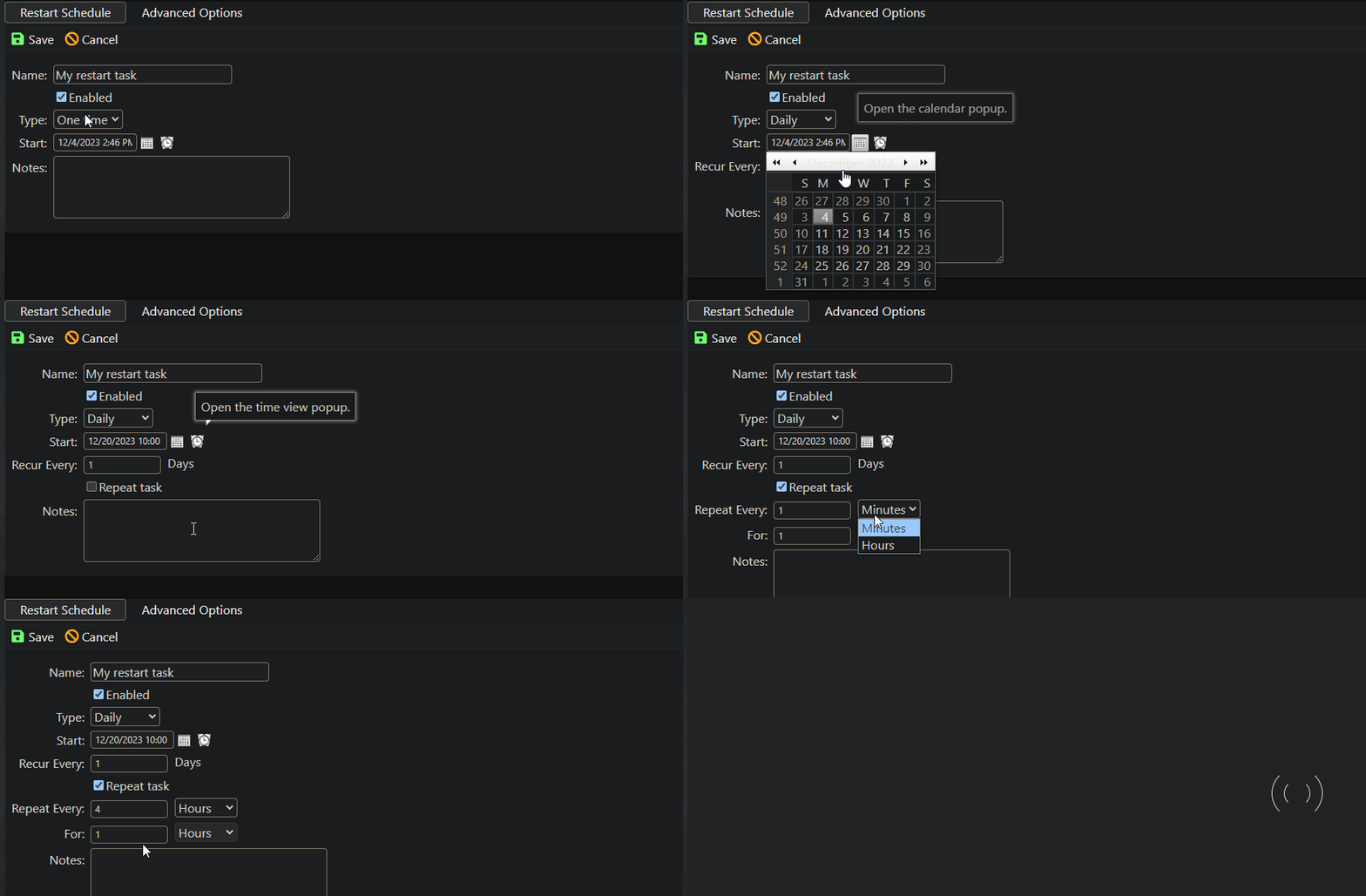
Then hit "Save" (as shown above)
You should now see the task in the "Scheduled Tasks" Menu

And done, you have now configured a task to automatically perform a restart whenever you need it to!
